The full historical releases for Mac Backup Guru and Battery Guru, imported from the original WordPress site for reference.
Mac Backup Guru 4.0 Launches
MacDaddy is pleased to announce Mac Backup Guru 4.0 for OS X, an update to its backup utility that introduces Finder contextual copy and paste for bootable volumes, the industry’s first third-party Incremental Snapshots for macOS, and dependable clone/sync workflows.
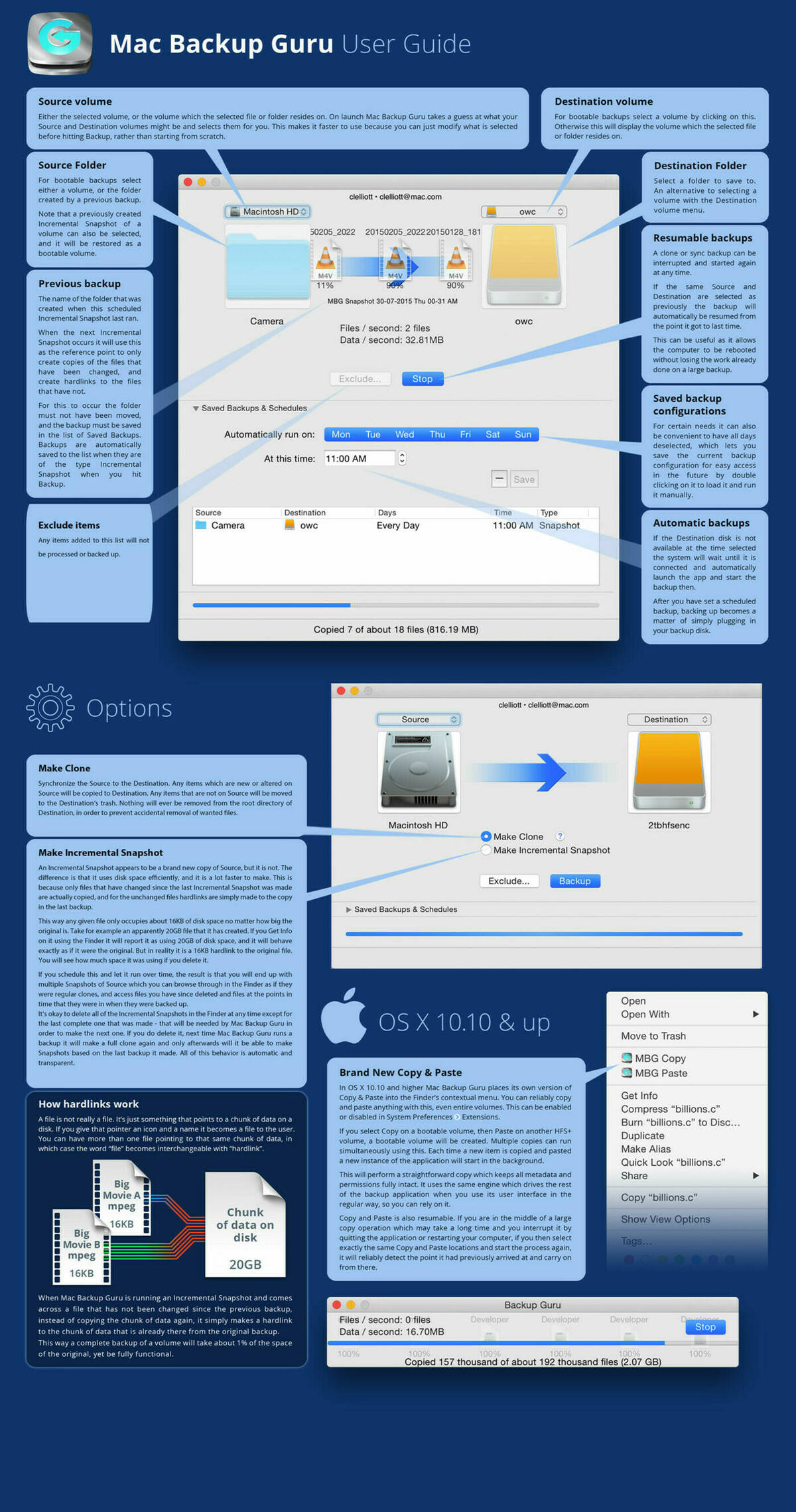
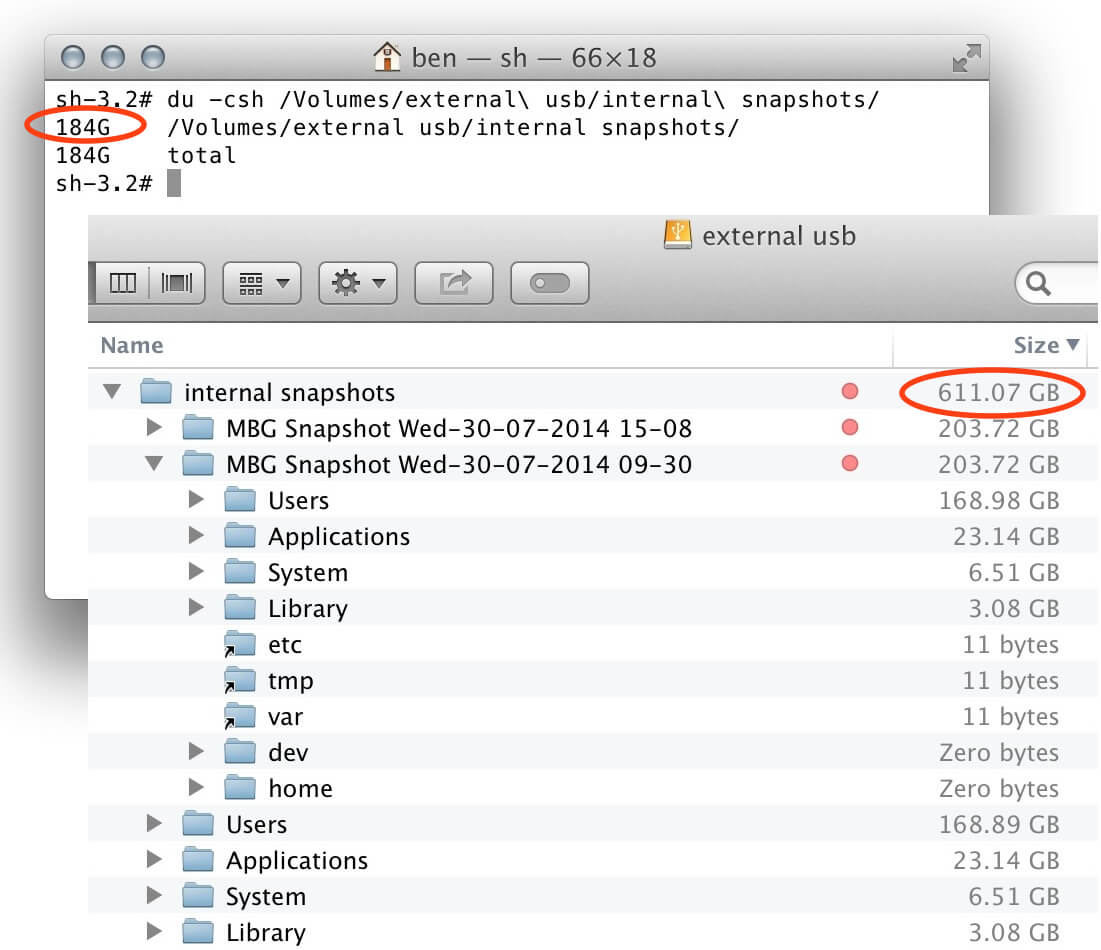
Mac Backup Guru is the first third-party disk utility that produces Incremental Snapshots. They consume only a fraction of the storage of traditional backups, yet appear in Finder as standard copies. The app continues to offer straightforward clone and sync functionality with contextual menu access so users can launch jobs directly from Finder.
Feature Highlights
Simple, reliable utility to create copies of files.
The only third-party disk utility that can create Incremental Snapshots.
Incremental Snapshots use about one tenth of the space of a standard backup.
Incremental Snapshots are about ten times faster to make than standard copies.
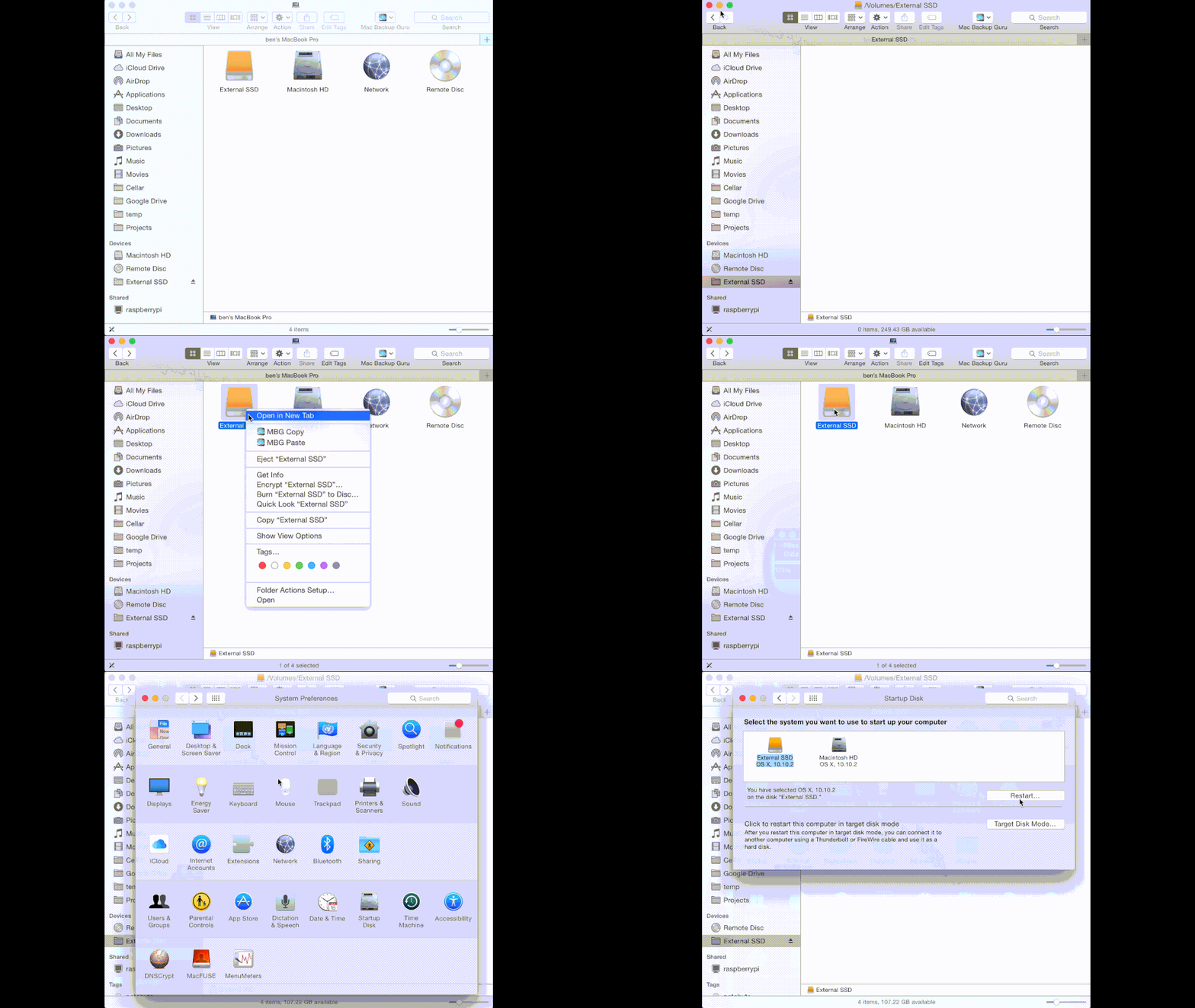
Contextual Copy & Paste creates bootable drives directly from Finder.
Update Highlights
Finder contextual menu items for Copy and Paste.
All backup operations are resumable.
Copy & Paste contextual item in Finder (OS X 10.10 Yosemite only).
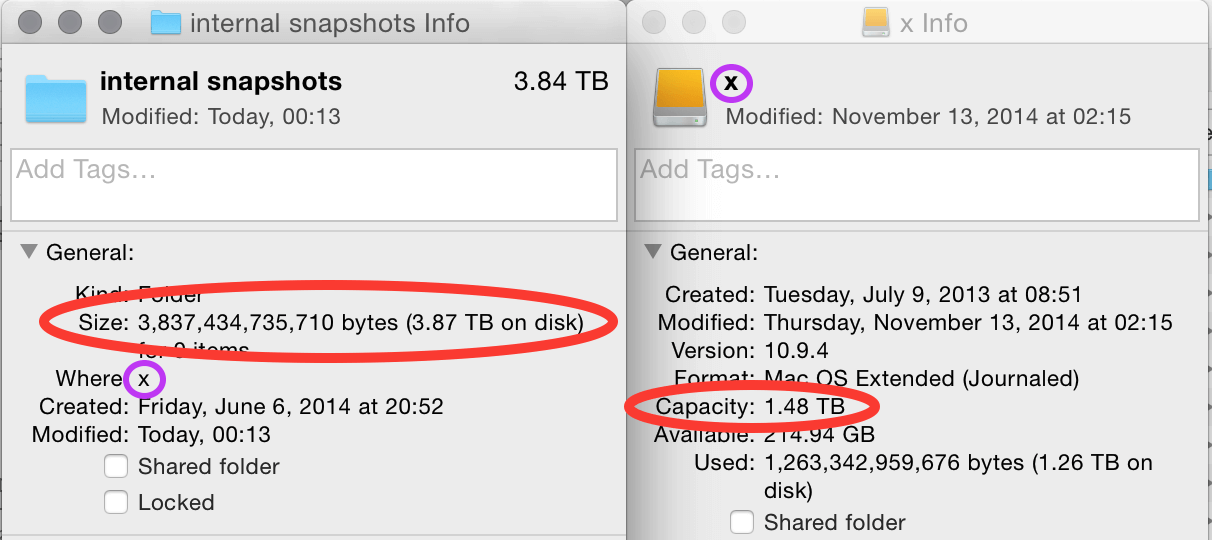
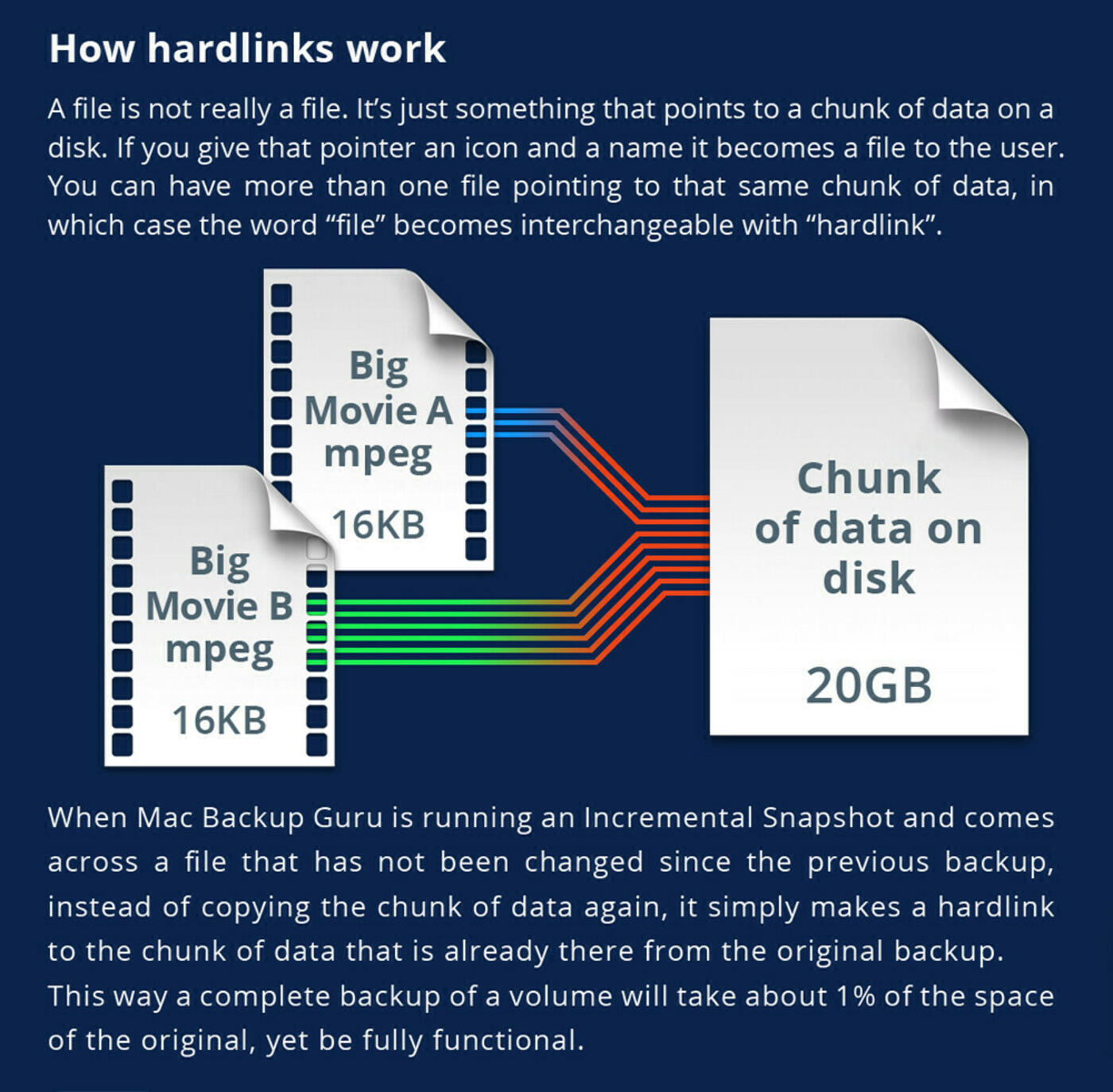
Incremental Snapshots behave differently from traditional backups. The first run creates a full clone; subsequent runs copy only files that changed since the previous backup while linking unchanged files back to the prior snapshot. Typical users can retain 30 unique daily snapshots of a 1 TB disk on a 1.5 TB external drive.
Cloning logic follows three simple rules to guarantee integrity:
If the size of the file on the source differs from the destination, the file has changed.
If the modification time differs, the file has changed.
When a file has changed, replace the destination copy with the source.
Additional best practices remain:
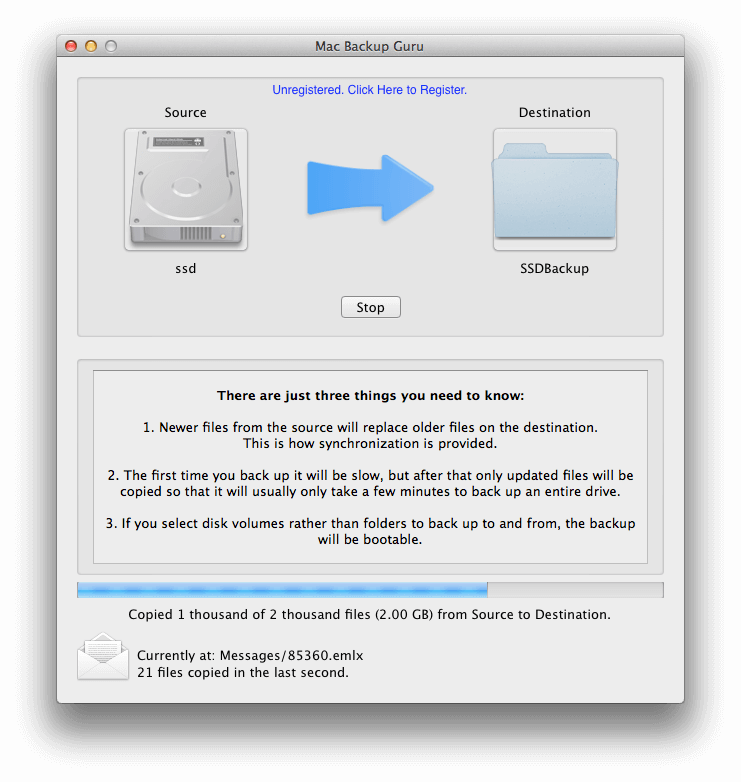
Newer files on the source replace older files on the destination.
The first backup takes longer; subsequent runs copy only updated files.
Selecting HFS+ volumes as both source and destination produces a bootable backup.
“The truth is, we originally wrote this program because we needed something just like it, but nothing out there was suitable,” commented Ben Slaney of MacDaddy. “Now we are offering it to you and we're excited to share a faster and more intuitive Mac Backup Guru that gives you more control, and is integrated with the OS X Finder. You can download it free, and it's fully functional. Please try it, use it regularly, and we hope that you love it as much as we do.”
System Requirements
Mac OS X 10.7 or later.
64-bit processor.
5.3 MB download size.
Pricing and Availability
Mac Backup Guru 4.0 launched at $39 (USD) and was available directly from MacDaddy. Review copies were provided on request.
— MacDaddy released Mac Backup Guru 2.0 with advanced bootable backups, synchronised volumes, and a Snapshot mode that uses system hard links to save space, all inside a simplified interface that suits both novices and professionals.
Developer Ben Slaney noted the rise of solid-state drives and the need for reliable local backups because SSD failures do not permit deep data recovery. Mac Backup Guru 2.0 keeps backups fast for both creation and restoration by working with local drives.
Backup Modes
Synchronized Clone Backup
Keeps an up-to-date bootable copy of a system drive or key folders. Users can boot from the clone immediately after a failure, with manual or scheduled syncs.
Backup with Incremental Snapshots
Captures bootable copies plus a history of file changes by storing snapshots that reuse storage through hard links. A month of full backups can live on a drive only slightly larger than the source.
Fast to Back Up, Instant to Restore
The initial clone takes longer, but subsequent runs are quick because only changed files are copied. Restores are immediate because the backup remains bootable.
Mac Backup Guru 2.0 complements online backup services by offering rapid local recovery while remaining compatible with off-site sync tools.
“I discovered that the vast majority of backup software for the Mac doesn’t do a great job of keeping the integrity of the files it copies. Even Apple’s own Time Machine fails to make a perfect copy of things like metadata, which can cause serious problems. So I made sure that Mac Backup Guru 2.0 makes perfect copies every time,” said Ben Slaney.
Availability
Mac Backup Guru 2.0 launched at $29 (USD) and was available directly from macdaddy.io. Reviewers could request full licenses by emailing contact form.
System Requirements
OS X 10.7 or newer (tested through OS X 10.10 Yosemite).
MacDaddy announced Mac Backup Guru 1.0 for OS X, marrying the certainty of cloning with the speed of syncing. It produces backups users can rely on while remaining simple—there is only a single Start button after choosing source and destination.
Feature Highlights
Reliable backup of folders or entire disks.
Startup disk clones remain fully bootable.
Detects changes by comparing file size and modification date.
After the first clone, subsequent syncs complete in minutes.
Automatic operation once source and destination are selected.
The app uses three basic rules (size, modification time, replace if changed) to guarantee synced backups. Selecting HFS+ volumes on both ends keeps the result bootable.
“You can download it free, and it's fully functional. Please try it, use it regularly, and we hope that you love it as much as we do,” said Ben Slaney.
System Requirements
Mac OS X 10.7 or later.
3.4 MB download size.
Pricing and Availability
Mac Backup Guru 1.0 launched at $39 (USD) and was sold directly from MacDaddy.
MacDaddy released Battery Guru 1.5, a free menu bar utility that reveals real-time battery usage so users can spot energy-hungry apps immediately. The update improved graphics, added Fahrenheit support, and refined insights.
Battery Guru displays current battery capacity versus original, cycle counts, manufacturing date, temperature, and a precise percentage remaining. By keeping that information visible, users quickly notice abnormal drain (for instance, runaway processes or discrete GPU usage) and take action.
Feature Highlights
Track discharge and charge rates to preserve runtime.
See current capacity, milliamp usage, and charge cycles.
Easily identify and close battery-draining applications.
Monitor smart battery data such as manufacture date and temperature.
Auto-launch option for seamless menu bar monitoring.
Battery Guru 1.5 remained available as a direct download and through the Mac App Store (version 1.0 at the time awaiting review for 1.5). Users could download at macdaddy.io/BatteryGuru.zip.